Before you sign, see the 5 riskiest clauses in minutes, not hours
Upload a PDF or scan printed pages with your camera — OCR runs on your device, then AI highlights the clauses most worth a closer look across liability, IP, non-compete, payment and termination. Each comes with a plain-English explanation, a public-source citation and a three-axis Risk Score Card. LegalDraft is informational analysis, not legal advice.
iOS · on-device OCR · English & Chinese · informational, not legal advice
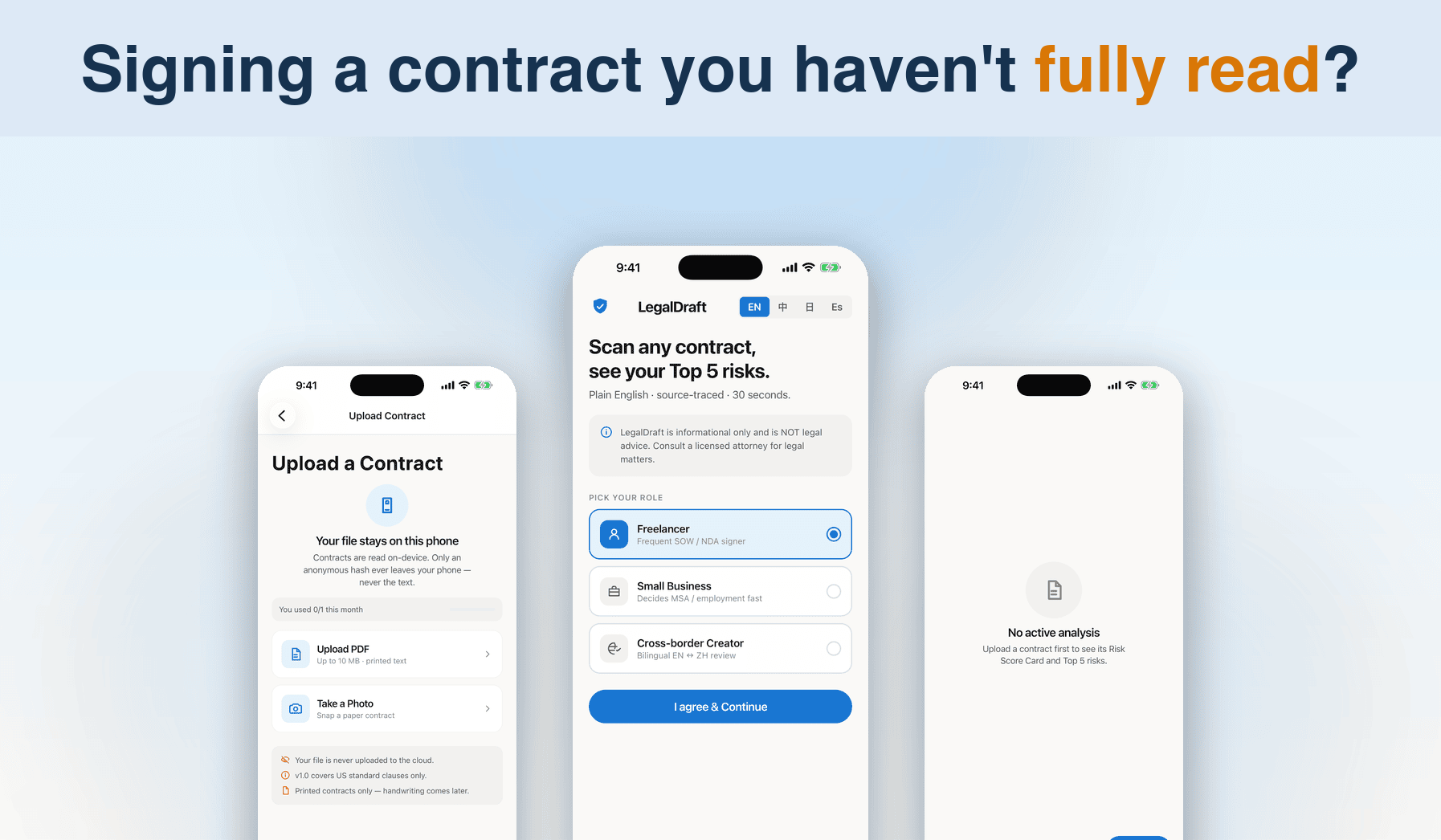
What v1.0 does today
From upload to score card — the full loop of a contract self-check.
Upload & scan
LiveImport a contract PDF or photograph printed pages. On-device OCR extracts the text and splits it into clauses — files never leave your phone.
Top 5 risk flags
LiveAI surfaces the five clauses most worth your attention — liability, IP, non-compete, payment, termination — each with a severity rating.
Plain-English explanations
LiveEvery flagged clause comes with a short "what this means for you" explanation. No legalese.
Source-Trace citations
LiveCompare flagged clauses against public standard clauses from LegalZoom / ACC / ELI, with links to the original sources.
Alternative wording
Coming soonCopy informational rewrite suggestions to discuss revision directions with the other party.
Risk Score Card
LiveOne chart scores the whole contract across financial, IP and liability axes; subscribers also see a percentile vs similar contracts.
Bilingual risk explanations
LiveSwitch the plain-language explanations of flagged clauses between English and Chinese — no more hunting for a translator mid-negotiation.
PDF report export
Coming soonBuild a shareable PDF report of the full analysis (subscription feature) to discuss with colleagues or the other side.
Private by design
LiveOCR runs entirely on-device and the original text and PDF are never uploaded. AI analysis runs only after you opt in — revocable anytime.
Your contract stays on your phone
OCR runs locally, and the original text and PDF are never uploaded. The server keeps only metadata — a content hash, contract type and clause count — plus the analysis results, for quota tracking and a consistent experience.
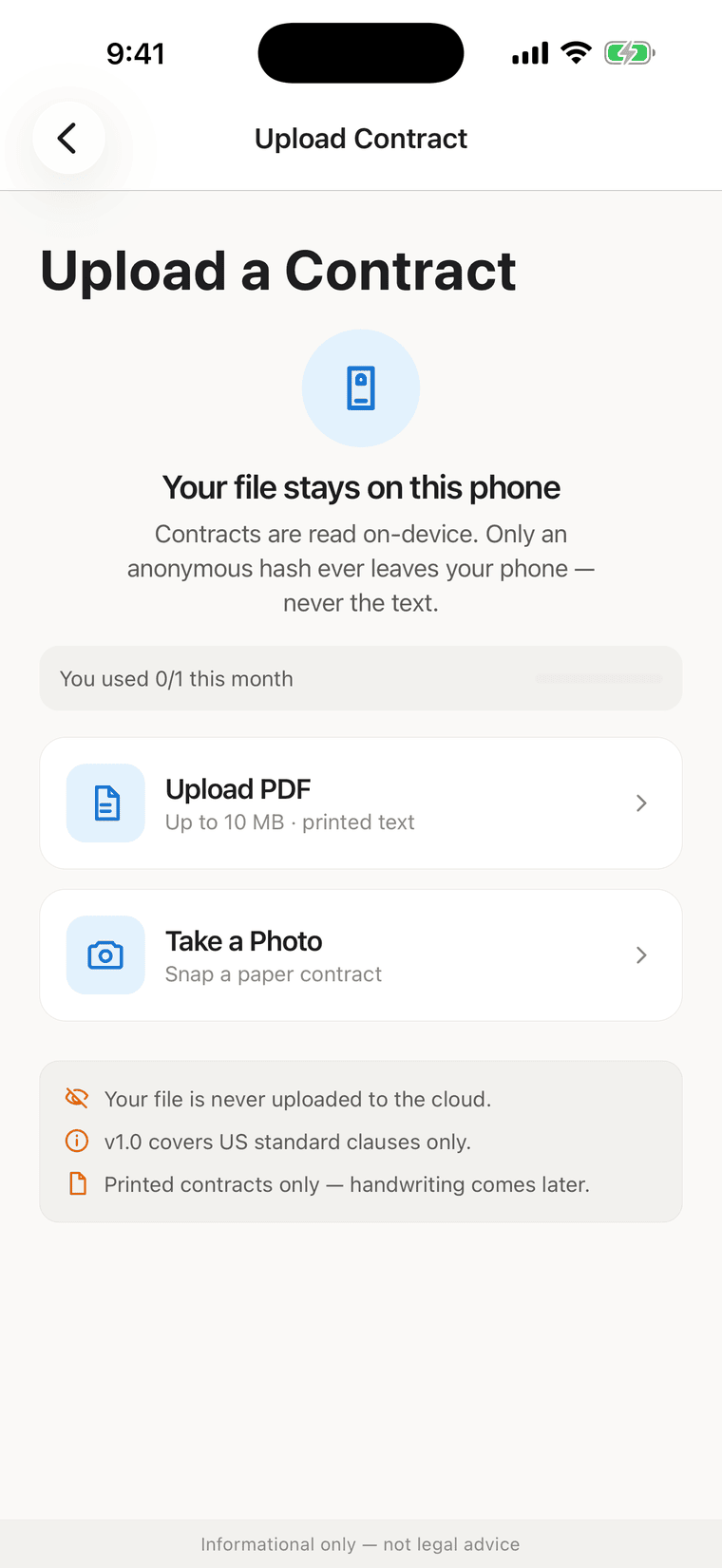
AI analysis asks you first
Before the first AI analysis, the app tells you exactly what happens: the clause text you analyze is sent through our gateway to OpenAI and Anthropic to generate explanations. It proceeds only after you agree, and you can revoke consent anytime in Account → Privacy. Your content is never used to train AI models.
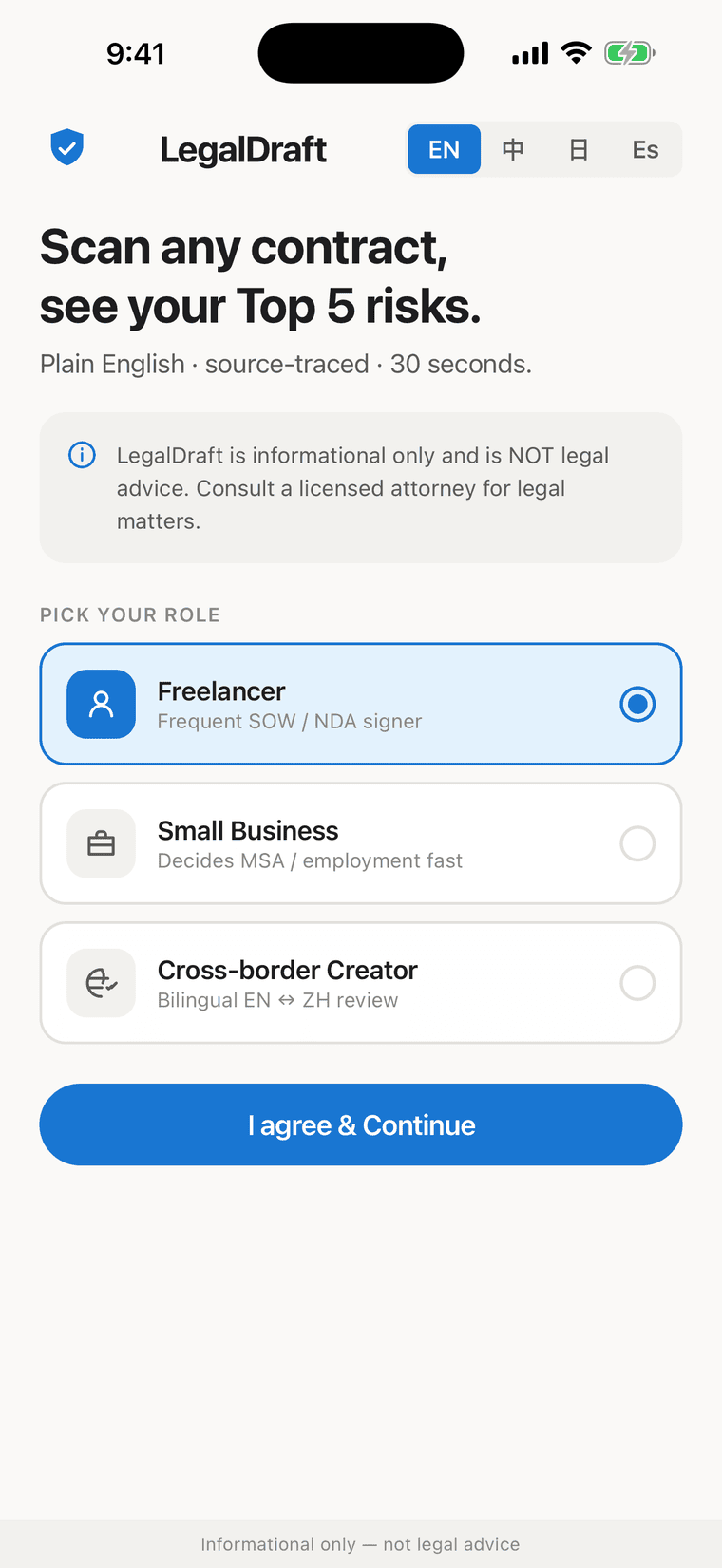
Three steps to read a contract
From import to score card, all inside one app.
Import
Pick a PDF or photograph printed pages. On-device OCR extracts the text and splits clauses in about 30 seconds.
AI flags risks
After you confirm the AI data-sharing consent, AI flags the Top 5 risky clauses with plain-English explanations and public-source citations.
Decide with the card
The Risk Score Card sums up financial, IP and liability axes in one chart — decide in seconds whether to sign, pass, or push back.
On the way
Shipping in future versions — see in-app release notes for what's current.
-
Handwritten OCR
Coming soonv1.0 supports printed contracts only; handwriting recognition is in the works.
-
CN / EU standard clauses
Coming soonExtending Source-Trace citations to public clause libraries for Chinese and EU jurisdictions.
-
Japanese / Spanish UI
Coming soonInterface and summaries in more languages for cross-border users.
⁂ The roadmap is informational and not a feature commitment; App Store release notes are authoritative.
Simple, honest pricing
Subscriptions are processed by the App Store — auto-renewing, cancel anytime. Prices in USD.
Free
Experience the full analysis loop
- 1 contract analysis / month
- Top 5 risk flags + plain-English explanations
- Source-Trace standard-clause citations
- Risk Score Card (3-axis)
- Bilingual risk explanations
Basic
The steady pick for multi-contract months
- Up to 10 contract analyses / month
- Everything in Free
- Percentile ranking vs similar contracts
- PDF report export (coming soon)
Basic Annual is $79.99 / year (~$6.67/mo) with the same features as monthly
Get startedPro
For heavy reviewers — no cap
- Unlimited contract analyses
- Everything in Basic
- Percentile ranking vs similar contracts
- PDF report export (coming soon)
Frequently asked
01 Does LegalDraft give legal advice?
No. LegalDraft provides informational analysis to help you read contracts. It is not a law firm and does not provide legal advice; every analysis screen carries a disclaimer. For legal advice, consult a licensed attorney.
02 Is my contract uploaded to a server?
The original text and PDF are never uploaded — OCR runs on your device. The server keeps only metadata (content hash, contract type, clause count) and analysis results. For AI analysis, only the clause text being analyzed is sent — after your explicit consent — through our gateway to the AI providers (OpenAI and Anthropic). Your name, email and location are not included, and your content is never used to train AI models.
03 How does the scan quota work?
Quota counts contract analyses per calendar month: Free 1 / month, Basic up to 10 / month, Pro unlimited. Re-uploading the same unchanged contract hits the cache and does not consume quota again.